
Records take time to collect
Simulation tools, forms, spreadsheets, and chat each hold part of the learning activity.
FOR INVESTMENT EDUCATION OPERATORS
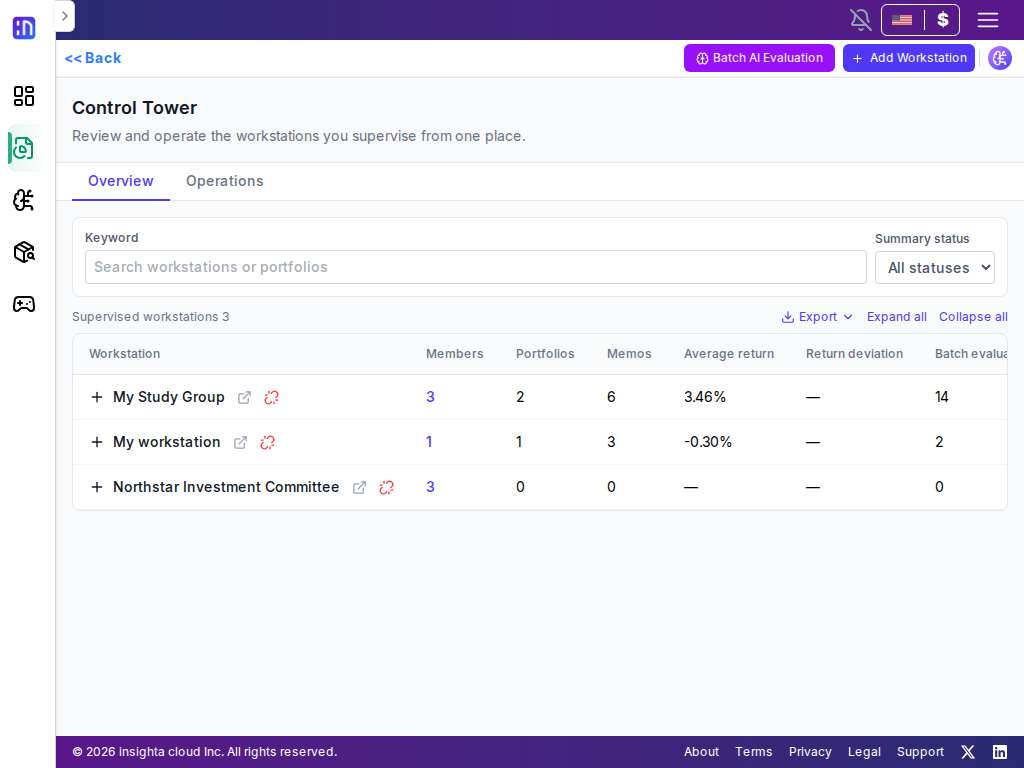
Control Tower is an education operations workspace for reviewing activity, portfolios, and evaluation across classes and teams. Learners record in Workstation; educators focus where feedback matters.
THE EVERYDAY PROBLEM
Educators can lose teaching time collecting activity, checking missing work, and reconciling evaluations and feedback.
Simulation tools, forms, spreadsheets, and chat each hold part of the learning activity.
Not every team needs the same depth of review; educators need to find the teams that do.
Return is only one moment. Rationale, risk management, and reflection belong in the review.
CONTROL TOWER FOR EDUCATORS
Compare activity, portfolios, and evaluation indicators across Workstations to find teams that need attention.
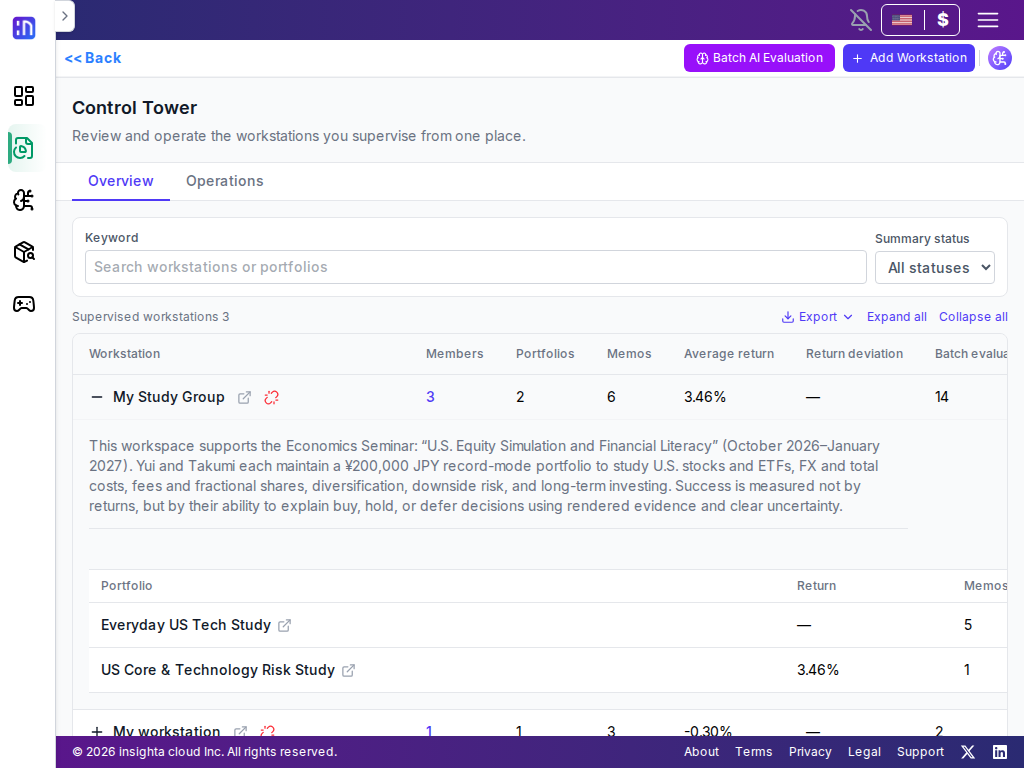
Open a team’s portfolio composition, diagnostics, and recorded context on demand.
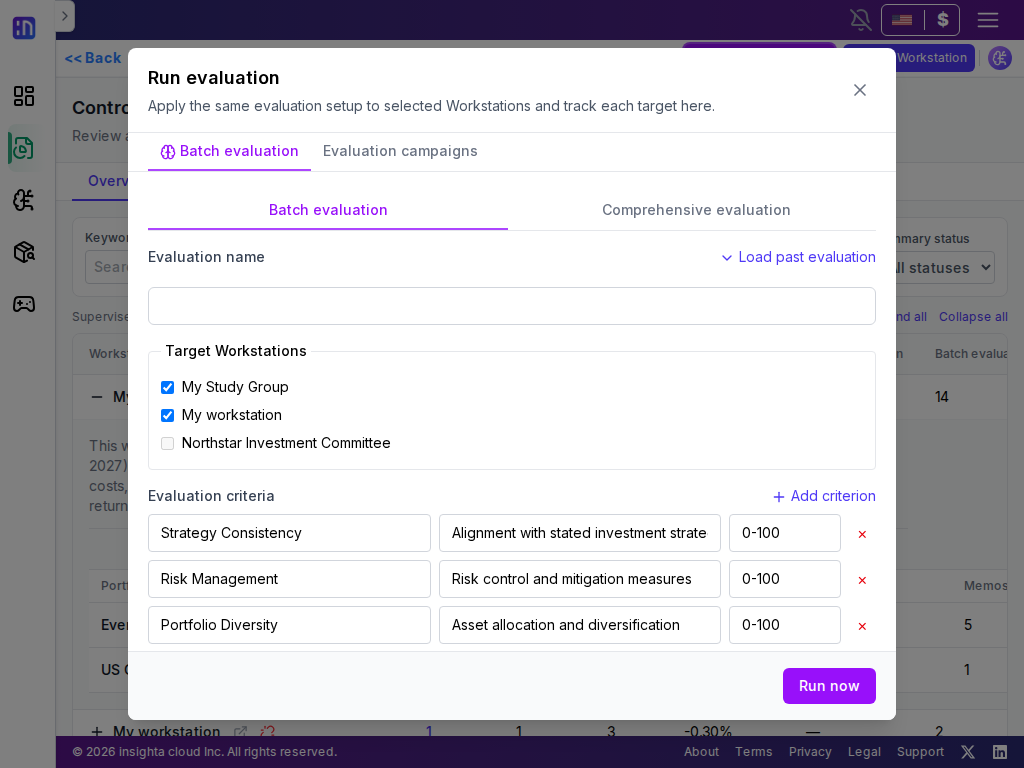
Run evaluations against educator-defined criteria and use the change over time in the next feedback.
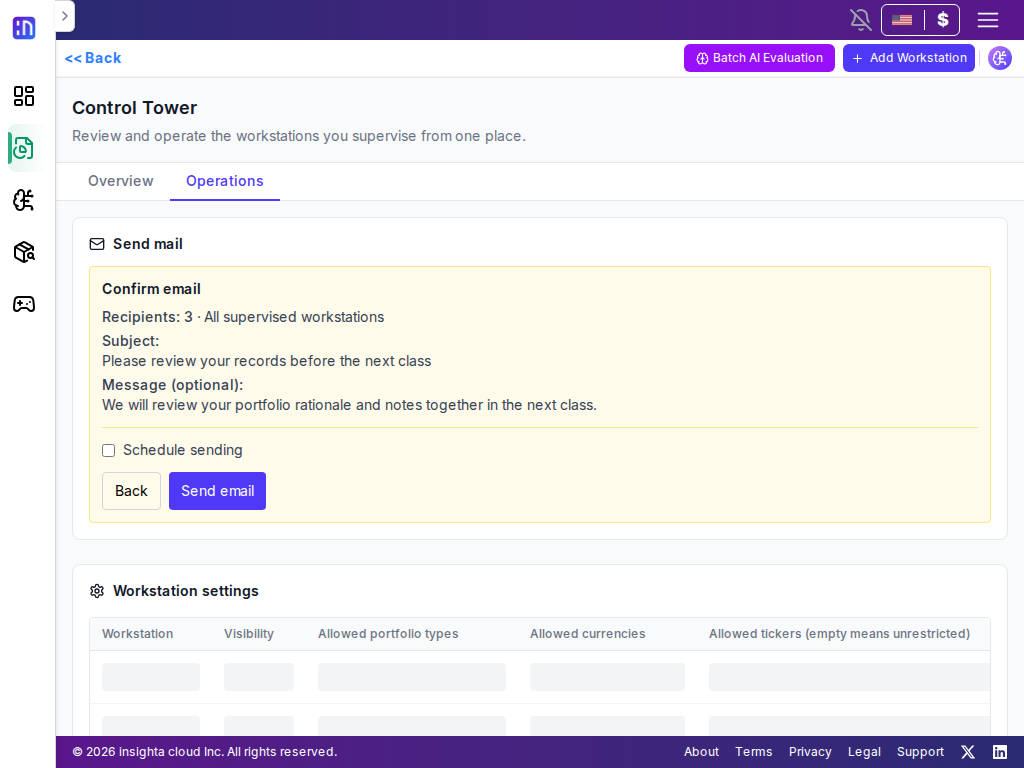
Invite learners, send guidance, and complete common operations only within authorized Workstations.
AI HELPS, EDUCATORS DECIDE
AI uses educator-defined criteria and portfolio records to create a starting point for review. Educators check the context and leave the questions and feedback each learner needs.
A SIMPLE CLASSROOM FLOW
Create or connect Workstations in Control Tower, then invite the learners who will participate.
Portfolios, research, notes, and assignments stay in a team context so the reason behind a decision can be revisited.
Compare progress and evaluation changes in Control Tower, then send guidance or continue with assessment and feedback.
WORKSTATION
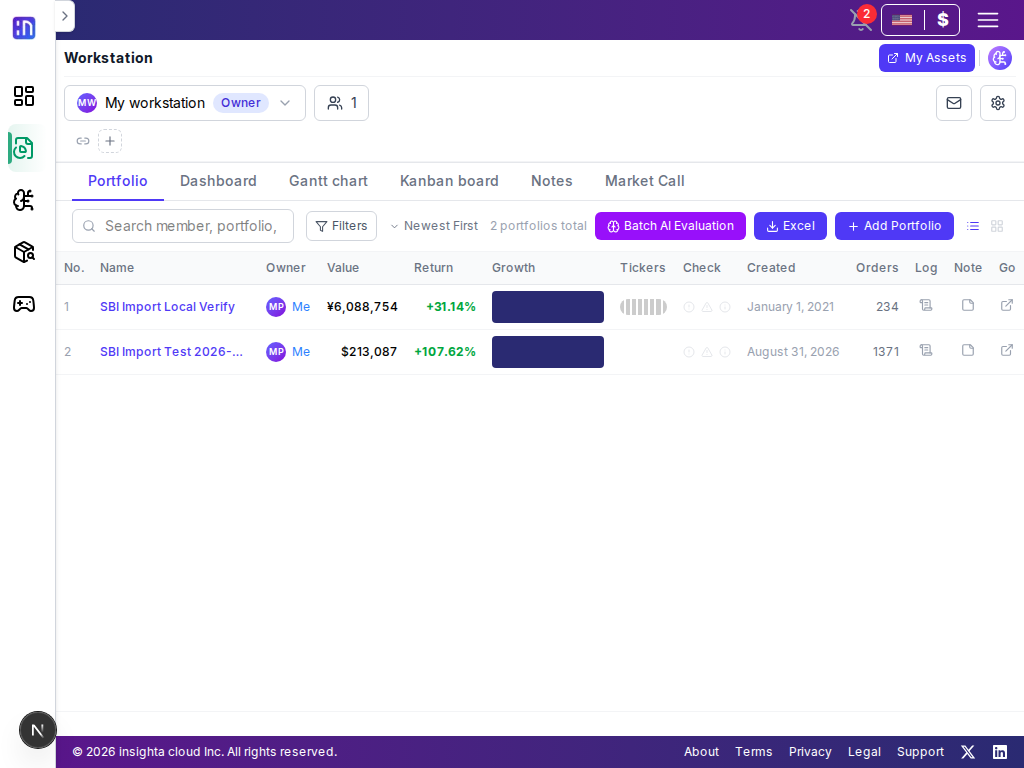
Use shared portfolios and operating records to connect a learner’s next decision.
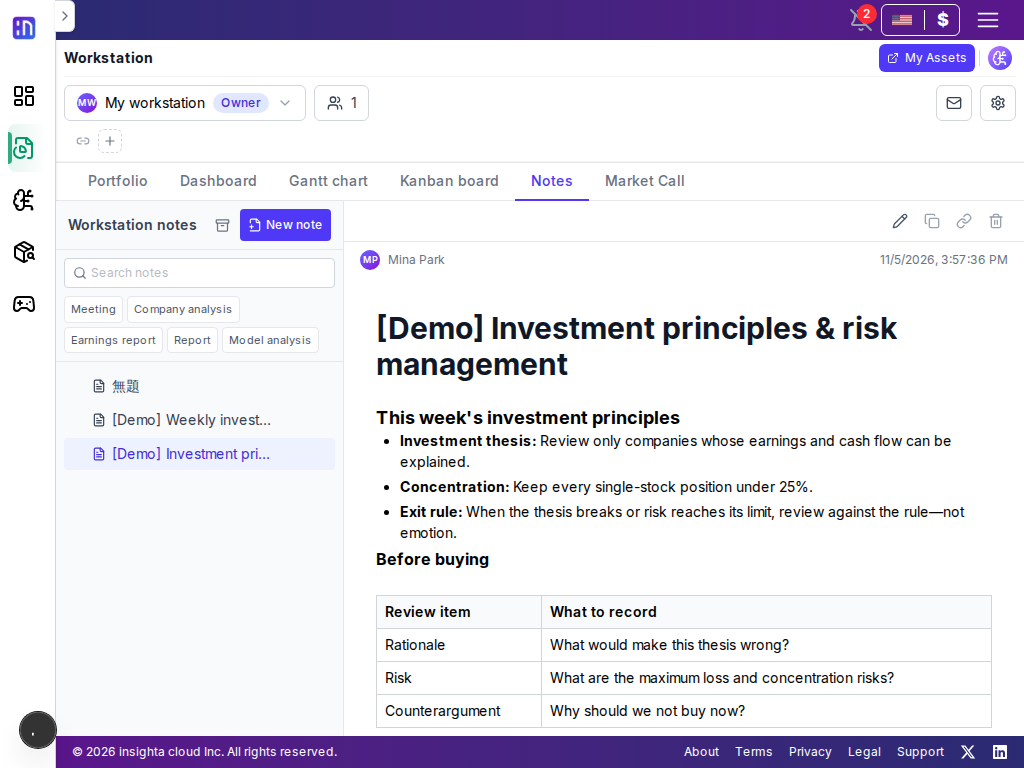
Connect each learner’s portfolio changes with research and meeting notes, so the rationale behind a trade remains reviewable in the next class.
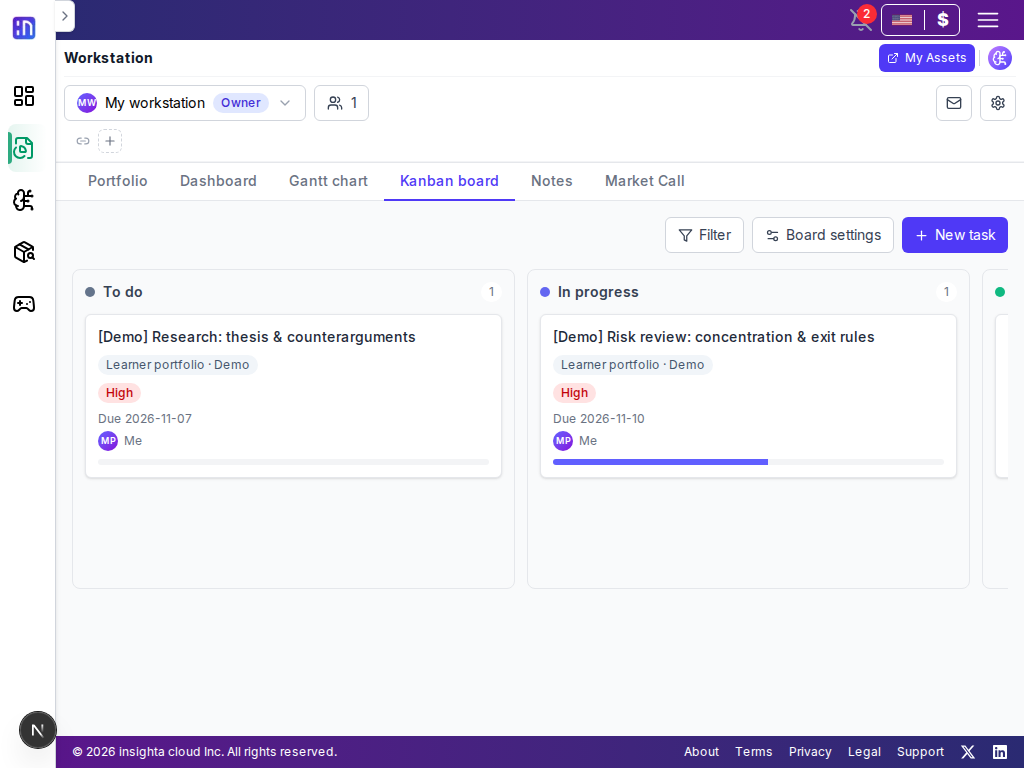
Connect shared principles, research, and owner-assigned work in Workstation so operators spend less time collecting and reminding.
FOR EDUCATION OPERATORS
Yes. Run team Workstations for classes, clubs, or investment study groups, then review the learning flow across teams in Control Tower.
Compare activity indicators, portfolio changes, evaluation records, and diagnostics for Workstations under the educator’s supervision.
AI helps review against criteria set by the educator. The educator retains final judgment for assessment and feedback.
insighta cloud does not recommend buying or selling specific securities and does not guarantee investment returns. Supervision works only within connected Workstations; the service is for lawful investment education, research, collaboration, and record keeping.
Connect learner records, educator feedback, and the next class in one flow with Control Tower and Workstation.